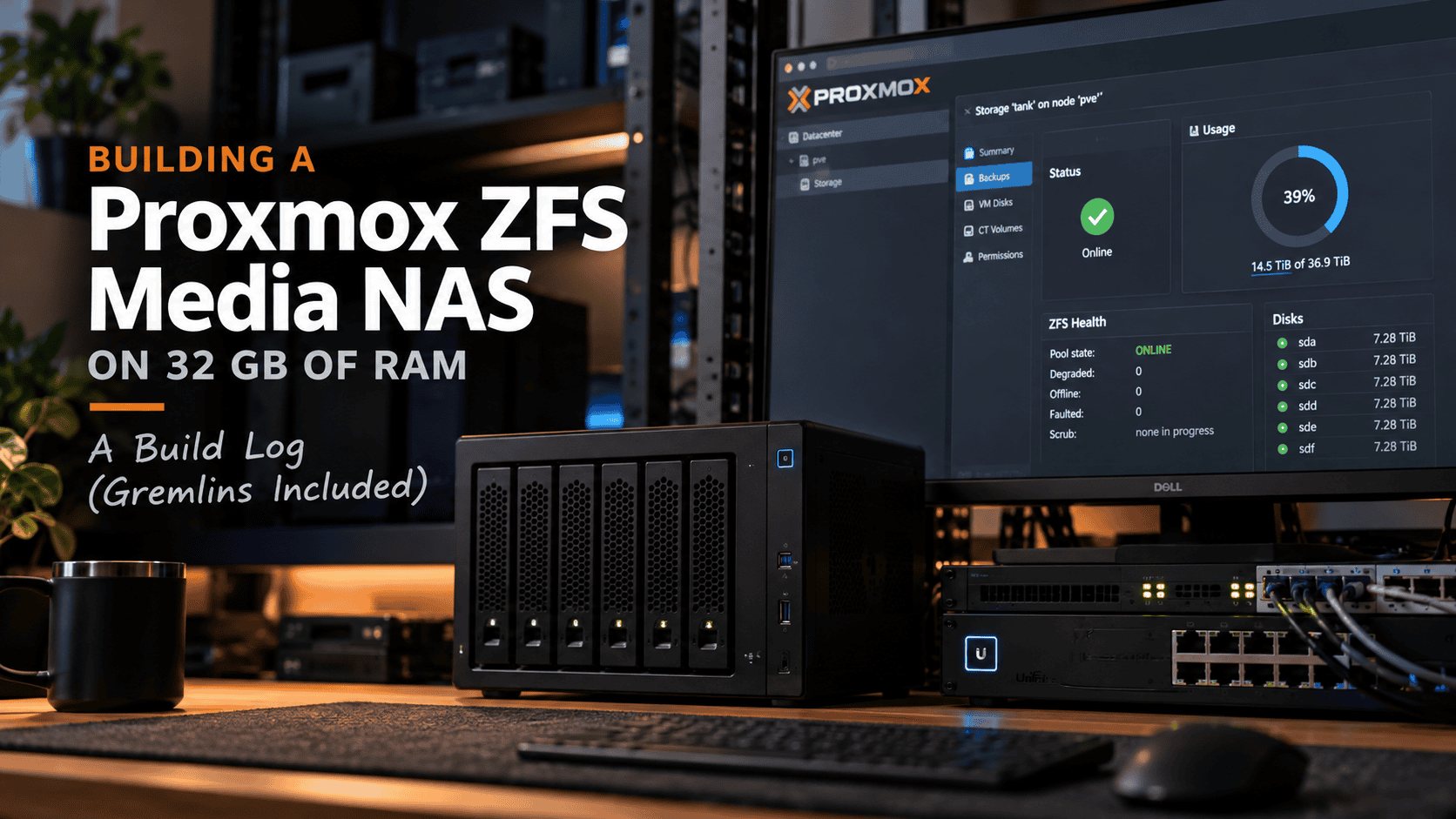

I recently stood up a new media NAS on top of Proxmox VE 9.2.4, and rather than reach for a NAS appliance I did it the Proxmox-native way: ZFS on the host, shared to the LAN through a lightweight Cockpit container. The end result is clean, but the road there had a decent share of gremlins — an IPv6-only web socket that refused to serve, a kernel that wouldn’t re-read a partition table, and Cockpit flatly refusing to let root log in. This is the full write-up: the reasoning behind the design, the exact commands, and every problem I hit and how I fixed it.
If you’re building something similar on constrained hardware, the design section is where the real value is. If you just want to avoid the same potholes, skip to Troubleshooting.
The hardware and the constraint
- Proxmox VE 9.2.4 on a 1 TB NVMe (Crucial P1, QLC) — 300 GB carved off for Proxmox, ~600 GB left unallocated.
- 6 × 8 TB enterprise SATA disks (HPE MB008000GWBYL) on the onboard controller.
- 32 GB ECC RAM. No expandability — the RAM is maxed and there are no spare drive bays.
That last line drives almost every decision below. 48 TB of raw disk on 32 GB of RAM, with no room to grow, forces you to be deliberate about where memory goes.
Design decisions (the “why”)
Host ZFS, not a TrueNAS/OMV VM
The tempting move is to pass the disks to a TrueNAS VM and let it own everything. On 32 GB, that’s the wrong call, for two reasons.
RAM. ZFS and KVM memory ballooning don’t mix — you have to statically pin a storage VM’s memory. A TrueNAS VM wants 12–16 GB locked away, leaving ~16 GB for the host and every other container. Run ZFS on the host instead and the ARC is shared, dynamically sized, and every container reads the pool through the page cache with zero passthrough overhead. On a non-expandable 32 GB box, host-ZFS is strictly more memory-efficient.
No HBA. Clean disk passthrough wants a dedicated HBA (an LSI 9300-8i in IT mode). My disks are on the onboard SATA controller, which is frequently in a shared IOMMU group with the boot path — passing it through risks yanking host disks with it. Not worth it.
Killing the “1 GB of RAM per TB” myth
You’ll read that ZFS needs 1 GB of RAM per TB of storage, which would demand 48 GB here. That rule is a myth carried over from FreeNAS-with-dedup lore. A no-dedup media pool streams large sequential files that barely benefit from caching. 48 TB raw on 32 GB of ECC is completely fine — and the ECC is a genuine plus for ZFS’s integrity guarantees.
RAIDZ2, not RAIDZ1
Six 8 TB disks, and I went 6-wide RAIDZ2 (~29 TiB usable, survives any two failures).
RAIDZ1 on 8 TB disks is a trap. An 8 TB resilver runs many hours to a couple of days, and that window — same-batch disks, same age, same load — is exactly when a second drive tends to drop. RAIDZ2 covers the resilver. For a sequential media workload where IOPS is irrelevant, RAIDZ2 6-wide is the textbook answer.
What to do with the spare 600 GB of NVMe
It’s tempting to throw the spare NVMe at the pool as cache. For a media library, don’t:
- SLOG only helps sync writes (NFS-sync, databases). Media writes are async — no benefit, and a single-device SLOG is a liability.
- L2ARC burns ARC RAM on headers to cache data with near-zero hit rate on media streaming. On 32 GB it’s a net loss.
- special vdev (metadata/small files) genuinely speeds up browsing a big library — but if it fails, the whole pool dies, so it needs a mirror. One NVMe can’t do that.
Instead, the 600 GB became a separate single-disk ZFS pool for VM/container disks and app config — fast storage for the things that hate spinning rust (Plex/Jellyfin SQLite libraries, container rootfs), kept off the array. Bonus: because both are ZFS, I can zfs send snapshots of app config to the big pool for a free backup.
One caveat on the P1: it’s QLC. Fine for VM disks and config, but transcode scratch is write-heavy and will chew QLC endurance. Point transcode temp at tmpfs if you can spare the RAM, or keep an eye on the drive’s wear indicator.
Sharing layer: Cockpit in an unprivileged LXC
I already run an OpenMediaVault instance elsewhere, but OMV wants to own its storage. Pointing it at a host-managed ZFS dataset works against its grain. Cockpit + 45Drives file-sharing assumes the opposite — something else owns the storage and it just exposes existing directories over SMB/NFS. That’s exactly my design: the host owns ZFS, the appliance is only a share front-end. It’s a thin GUI over vanilla Samba, so if it misbehaves you’re debugging plain Samba.
I put it in an unprivileged LXC. A network-facing Samba service shouldn’t run privileged on the box that runs everything — the isolation is worth the small amount of extra setup (an ID-map, covered below).
The build
1. Create the RAIDZ2 pool
Always reference disks by /dev/disk/by-id/, never sdX — the kernel reorders those across reboots. Give ZFS whole disks. First wipe any leftover partitions:
for d in sda sdb sdc sdd sde sdf; do
  wipefs -a /dev/$d && sgdisk --zap-all /dev/$d
done
Then create the pool (substitute your real ata-... IDs):
zpool create -f -o ashift=12 \
  -O compression=lz4 -O atime=off \
  -O xattr=sa -O acltype=posixacl -O dnodesize=auto \
  -O mountpoint=/tank tank raidz2 \
  /dev/disk/by-id/ata-DISK1 ... /dev/disk/by-id/ata-DISK6

zfs create -o recordsize=1M tank/media
ashift=12 for 4K disks; lz4 (early-abort, so it costs nothing on already-compressed video but wins on metadata); atime=off to cut needless writes; recordsize=1M on the media dataset for better sequential throughput and lower metadata overhead. xattr=sa/posixacl keep Samba ACLs sane.
2. Create the NVMe pool
The 600 GB was unallocated free space, not a partition, so carve partition 4 first:
sgdisk -n 4:0:0 -t 4:BF01 /dev/nvme0n1
Then create the pool on the partition (never the whole disk — that’s your boot drive):
zpool create -f -o ashift=12 -O compression=lz4 -O atime=off -O xattr=sa \
  -O mountpoint=/nvme nvme \
  /dev/disk/by-id/nvme-CTxxxxP1SSD8_xxxxxxxx-part4

pvesm add zfspool nvme-vm --pool nvme --content images,rootdir
3. Harden while it’s fresh
# Cap ARC so ZFS doesn't starve the VMs (12 GB on a 32 GB box)
echo "options zfs zfs_arc_max=12884901888" > /etc/modprobe.d/zfs.conf
update-initramfs -u -k all

# Point ZFS event alerts at email
# (edit /etc/zfs/zed.d/zed.rc: ZED_EMAIL_ADDR + ZED_NOTIFY_VERBOSE=1)
systemctl restart zfs-zed

# Confirm the monthly scrub cron shipped by Proxmox
cat /etc/cron.d/zfsutils-linux
And record which serial sits in which bay — when a disk dies, ZFS names it by serial, and you’ll want to pull the right one out of six identical drives:
for d in sda sdb sdc sdd sde sdf; do
  echo "$d -> $(smartctl -i /dev/$d | awk -F: '/Serial/{gsub(/ /,"",$2);print $2}')"
done
4. Set up shared ownership on the host
The key to sharing one dataset across the Samba container and your media app containers is a single shared group. I used GID 10000 (media), with a setgid bit so new files inherit the group automatically:
groupadd -g 10000 media
chown -R root:media /tank/media
chmod 2775 /tank/media
5. Create the unprivileged LXC with an ID-map
Create a Debian 13 container with its rootfs on the fast NVMe pool:
pct create 110 local:vztmpl/debian-13-standard_13.6-1_amd64.tar.zst \
  --hostname nas-share \
  --cores 2 --memory 1024 --swap 512 \
  --rootfs nvme-vm:8 \
  --net0 name=eth0,bridge=vmbr0,ip=dhcp \
  --unprivileged 1 --onboot 1
Now the important part. An unprivileged container offsets its UIDs/GIDs by 100000, so host GID 10000 wouldn’t line up inside. We punch that one GID through 1:1. Allow root to map it, then append the ID-map to the container config:
echo 'root:10000:1' >> /etc/subgid

cat >> /etc/pve/lxc/110.conf <<'EOF'
lxc.idmap: u 0 100000 65536
lxc.idmap: g 0 100000 10000
lxc.idmap: g 10000 10000 1
lxc.idmap: g 10001 110001 55535
EOF

pct set 110 -mp0 /tank/media,mp=/media
pct set 110 --features nesting=1   # Debian 13's systemd 257 wants this in an LXC
pct start 110
Those three g lines cover the full 0–65535 GID range while pinning container GID 10000 → host GID 10000. Verify inside the container that /media shows group 10000:
pct exec 110 -- ls -ld /media
# drwxrwsr-x 2 nobody 10000 ... /media   <- group 10000 = success
(The owner showing as nobody is correct — host root isn’t in the UID map, so it displays as nobody. We share on the group, not the owner.)
6. Install Cockpit and the sharing module
Inside the container:
apt update && apt -y full-upgrade
apt install -y curl cockpit samba nfs-kernel-server samba-common-bin acl attr
curl -sSL https://repo.45drives.com/setup | bash
apt update
apt install -y cockpit-file-sharing cockpit-identities
systemctl enable --now cockpit.socket
groupadd -g 10000 media
The current 45Drives file-sharing package (4.6.x) added Debian Trixie support, so the repo install works cleanly on Debian 13.
7. Create the Samba user and the share
useradd -M -s /usr/sbin/nologin -g media ron
smbpasswd -a ron
id ron   # confirm gid=10000(media)
Then in the Cockpit UI (File Sharing → Samba → +), point a share named media at /media, grant the media group, leave guest access off, and save. Cockpit writes a Samba registry share and starts smbd — no hand-editing smb.conf.
8. Prove it end to end
From a LAN client, connect to \\<ip>\media as ron, create a folder, then check on the host where it landed:
ls -ln /tank/media
# drwxr-xr-x 2 101000 10000 ... TV   <- group 10000 on the array = the whole chain works
A file written by an unprivileged-container Samba user landed on the RAIDZ2 array under the shared media group. That’s the architecture proven.
Troubleshooting — every gremlin, and the fix
This is the honest part. None of these were showstoppers, but each cost time, and a few are non-obvious.
Placeholder device names ran literally
I left ata-DISK1 ... ata-DISK6 as placeholders in the zpool create command and promptly ran it verbatim:
cannot open 'ata-DISK1': no such device in /dev
Harmless — nothing was created. Fix: substitute the real full /dev/disk/by-id/... paths. Bare ata-... shorthand gets looked up in /dev and won’t resolve.
The kernel wouldn’t see the new NVMe partition
After sgdisk wrote partition 4, it didn’t appear in lsblk, and there was no -part4 by-id symlink. Two things conspired: partprobe wasn’t installed, and the kernel can’t do a full partition-table re-read while another partition on the disk (nvme0n1p3) is in active use by LVM/root.
Fix: add just the one new partition without disturbing the in-use ones —
partx -a --nr 4:4 /dev/nvme0n1
udevadm settle
(apt install parted to get partprobe also works; a reboot would too.)
“Which NVMe do I target?” — every by-id link pointed at the boot disk
All three nvme-* by-id entries symlinked to nvme0n1 — the whole boot drive. Feeding any of them to zpool create would have wiped Proxmox. The _1 and eui. entries are just alternate aliases for the same physical device.
Fix: partition first, then target the partition (...-part4), never the whole disk. The -part4 suffix is the safeguard.
systemd 257 nesting warning
Starting the container printed:
WARN: Systemd 257 detected. You may need to enable nesting.
Debian 13’s systemd can misbehave in an unprivileged LXC without it, and Cockpit leans on systemd-logind for its web logins. Fix: pct set 110 --features nesting=1 and reboot the container.
A wall of scary-looking apt output that was entirely benign
During package install I got a dependency failure starting nfs-server.service and dozens of Failed to write 'change' to .../uevent: Permission denied lines. Both are expected in an unprivileged container:
- NFS server can’t run in an unprivileged LXC (it needs kernel-level access). It only came in as a dependency; I’m sharing over SMB, so a dead
nfs-server.serviceis irrelevant. - The uevent permission-denied wall is
udisks2trying to poke every block device via sysfs, and the container correctly refusing. Cosmetic — and honestly it’s the isolation doing its job.
A perl: locale warning also showed up; fixed with locale-gen after uncommenting a locale in /etc/locale.gen.
The headline gremlin: Cockpit’s web UI wouldn’t serve
This one took the longest. systemctl status cockpit.socket reported active (listening), ss showed something on :9090, yet curl from the host — on the same subnet — returned 000, connection refused. So it wasn’t a firewall or a VLAN boundary; nothing was actually answering on IPv4.
The tell was in the socket status:
Listen: [::]:9090 (Stream)
The listener needed to be pinned to IPv4. My first fix attempt made it worse: I wrote a drop-in with both an IPv4 and an IPv6 listener —
[Socket]
ListenStream=
ListenStream=0.0.0.0:9090
ListenStream=[::]:9090
— which collided, because on Linux a [::] bind is dual-stack by default and already claims the IPv4 port. The result:
cockpit.socket: Failed to create listening socket ([::]:9090): Address already in use
Now the socket wouldn’t start at all, and it persisted through a reboot. The fix was a single IPv4-only listener, applied via a clean reset (stop everything, free the port, write one listener, restart):
[Socket]
# Clear inherited listeners, then bind IPv4 only.
ListenStream=
ListenStream=0.0.0.0:9090
systemctl stop cockpit.socket cockpit.service
systemctl reset-failed cockpit.socket
systemctl daemon-reload
systemctl start cockpit.socket
ss -tlnp | grep 9090   # now shows 0.0.0.0:9090
Lesson: don’t add an explicit 0.0.0.0 listener and a [::] listener to the same socket — the dual-stack [::] already covers IPv4, so the pair collide. On a v4-only LAN, one 0.0.0.0 line is all you need.
Cockpit refused root login: “Permission denied”
With the UI finally reachable, logging in as root gave a flat Permission denied — even with the correct password. This is deliberate: Cockpit ships with root in its disallowed-users list.
Fix (the tidy one): create a dedicated admin user and log in as that, ticking “Reuse my password for privileged tasks” for administrative mode —
useradd -m -s /bin/bash -G sudo ron-admin
passwd ron-admin
(You can instead remove root from /etc/cockpit/disallowed-users, but a dedicated admin account is the better habit.) Worth stating the obvious operational-security point too: don’t screenshot a login screen with the password field revealed — treat any credential that lands in an image as burned and rotate it.
Open item: group-write mask
My first test folder landed on the host as drwxr-xr-x — group had read/execute but not write. The setgid bit correctly propagated the group (10000), but the folder’s mode came from Samba’s default create mask, which didn’t grant group-write. The Samba user can write because it owns the file, but another account in the media group (say a Sonarr service user) couldn’t write inside it yet. That’s the one thing I’ll square away when I wire up the app containers — via the share’s directory mask or a default ACL on the dataset.
Final architecture
Proxmox VE 9.2.4 host
├─ tank        RAIDZ2, 6×8TB, ~29 TiB usable   →  tank/media (recordsize=1M)
│                                                   owned root:media (GID 10000), setgid
├─ nvme        single-disk ZFS on NVMe part4    →  VM/CT disks + app config (PVE: nvme-vm)
└─ LXC 110 (unprivileged, Debian 13)
   ├─ ID-map: container GID 10000 → host GID 10000
   ├─ bind mount /tank/media → /media
   └─ Cockpit + Samba  →  SMB share "media" to the LAN
ARC capped at 12 GB, zed email alerts on, monthly scrub scheduled, bay-to-serial map recorded.
Takeaways
- On constrained RAM, run ZFS on the host, not in an appliance VM — a shared, dynamic ARC beats a statically-pinned storage VM every time.
- RAIDZ2 over RAIDZ1 for any disk large enough that a resilver takes the better part of a day.
- Cache vdevs (SLOG/L2ARC/special) are usually the wrong answer for a media library — spend the NVMe on VM/app storage instead.
- For sharing a host dataset out of an unprivileged container, a one-GID ID-map plus a setgid dataset gives you clean, consistent ownership that other containers can share.
- And if a systemd
.socketwon’t serve on IPv4, check whether your listeners are fighting over a dual-stack[::]bind before you go blaming the network.
Next up: binding this same dataset into my existing Jellyfin/Sonarr/Radarr containers using the same GID-10000 map — and finally sorting that group-write mask.